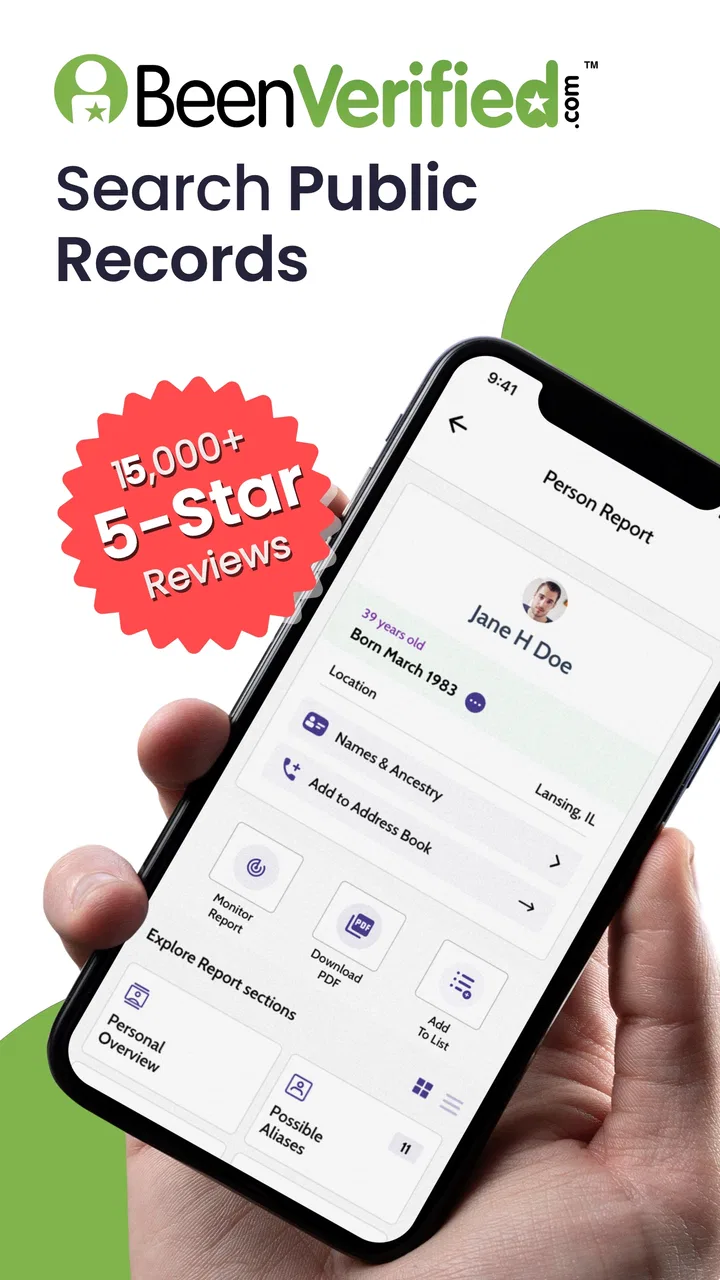
BeenVerified Background Search
- 4.3
- Rating
- 1.00M
- Installs
- Free
- Price

 Analysis by App-foxy
I approached BeenVerified Background Search as a practical communication tool rather than something I would open every day. Its purpose is to help connect a phone number, email address, or person’s name with information from public records. That makes it potentially useful when a contact is unfamiliar, a message seems suspicious, or I need to separate a real identity from a vague online profile. It is a free app to install, although some of the deeper searches involve in-app purchases, so I would not treat “free” as meaning that every result is included at no cost.
The app is developed by BeenVerified.com and sits in the communication category. Its store presence is fairly established, with more than a million installs, an average score of 4.4 from roughly twenty-three thousand ratings, and thousands of written reviews. Those figures suggest that many people find the basic idea useful, but they do not remove the need to check results carefully. A background search can be a helpful lead; it is not automatically proof that every detail belongs to the person I am investigating.
Where the experience usually becomes difficult
The first point of friction is deciding what information to enter. A phone number may be written with spaces, a country prefix, or an area code, while an email address can contain small spelling differences that completely change the search. When I get an unexpected result, I first check the original contact instead of assuming the app has failed. A copied number can include an extra character, and a name search can easily match several people with similar details.
You May Also Like

 Blood Strike: 2.5 Anniversary
Blood Strike’s Loadouts Turn Every Drop Into a Tactical Gamble
A close look at Blood Strike’s custom loadouts: how fast access to signature weapons reshapes its battle royale rhythm, rewards preparation, and narrows the gap between fights.

 Pandora - Music & Podcasts
Pandora’s Music Is Easy to Start, but Harder to Recover
Pandora’s strength is its low-effort path from a seed to a station. Its weak spot is how much confidence it asks you to place in connection, setup, and quiet recovery.

 8 Ball Pool
 Is Built on Rivalries, Rematches, and Routine
A close look at the rivalries, rematches, shared routines, and unanswered safety questions that turn a quick pool match into a persistent mobile community.

 Samsung Music
’s Quiet Strength Is Playing What You Already Own
Its reach comes less from spectacle than from dependable access to a personal library. That simplicity is both the app’s strongest retention engine and its ceiling.

 AccuWeather: Weather Radar
AccuWeather Review: A Quick, Clear Forecast for Everyday Decisions
For everyday plans, the best forecast is the one you can understand quickly. AccuWeather makes rain timing, radar, and local conditions easy to act on, with a few trade-offs.

 Hill Climb Racing
Why Hill Climb Racing Still Turns Crashes Into One More Run
A tiny car, a bumpy hill and one more upgrade: Hill Climb Racing keeps resurfacing because its simple chaos makes every near-miss feel personal.
More From Our News Desk



Names are especially easy to misread. A common name may produce several possible records, and a person who has moved, changed a surname, or used different contact details may appear across more than one result. I would compare the available context—such as location or associated contact information—with what I already know. The sensible question is not “Does this name appear?” but “Does this result fit the person and situation I am checking?”
Another sticking point is expecting a report to behave like a live caller-identification service. The app is designed around searches and background information, not as a guarantee that every incoming call will be identified instantly or that every number will have a complete profile. If I need immediate spam filtering during a call, a dedicated caller-ID or carrier security feature may be a better first choice. BeenVerified is more useful when I can pause, enter a detail, and review what comes back.
Search language can also create unrealistic expectations. Public-record information is often incomplete, outdated, or spread across different sources. A blank or thin result does not necessarily mean the person is suspicious, just as a detailed result does not prove that every entry is current. I use the app to gather clues and decide what to verify next, not to make a serious decision from one screen.
What I check before starting a search
My most reliable routine begins with the exact detail that caused concern. If a number called me, I copy it directly from the call history rather than retyping it. If I received an email, I copy the address carefully and remove any accidental spaces. For a name search, I add the extra context I genuinely know, instead of guessing. This reduces false matches and makes the results easier to interpret.
I also make sure the app itself is current. The listed version is 9.1.16 and it supports Android 7.0 or later, so a device running an older system may need attention before troubleshooting the search. I would check the operating system, update the app through the normal store process, and restart it if a screen behaves strangely. These are simple steps, but they separate a local installation problem from a result that is simply limited.
Because the app is rated for Everyone, it may look approachable to a wide range of users. That does not mean every search is appropriate for every purpose. I would avoid treating a report as a substitute for consent, direct communication, or official verification in situations involving employment, housing, personal safety decisions, or legal matters. The app can help me decide whether further checking is worthwhile, but it should not become the only basis for judging someone.
The pricing model is another setup detail worth understanding. Installation is free, while in-app purchases range from $9.99 to $99.99 per item. Before continuing through a paid step, I would read the purchase screen carefully and confirm what the charge covers. If I only need to investigate one unfamiliar number, I would think about whether that single search justifies the cost. Someone who expects frequent, detailed searches should review the available purchase choices before relying on the service regularly.
A cleaner workflow for phone, email, and name searches
For an unknown caller, I start with the phone number and write down why I searched it. That small habit prevents me from mixing up several contacts later. I then compare the result with the call’s timing, any voicemail, and the message content. If the report suggests a possible identity but the caller’s behavior does not match, I keep both facts separate. The report is one piece of context, not a confirmation that the caller is genuine.
Email searches benefit from the same discipline. I check the address character by character, especially dots, hyphens, and the domain name. A result connected to a familiar-looking person does not make a message safe by itself. I still inspect the email for pressure, unusual payment requests, unexpected attachments, or links asking for sensitive information. In my view, this is one of the app’s most useful roles: it can slow down an impulsive response, but it cannot replace basic online safety.
Name searches require the most patience. I would begin with the least ambiguous spelling available and avoid selecting the first apparent match simply because it looks plausible. If several results appear, I compare details gradually and stop when the evidence becomes too weak. Searching repeatedly with guesses can create more confusion than clarity. A narrow, well-documented search is usually more useful than a long chain of speculative searches.
One practical tip is to keep a short record of the search input and the reason for checking it, without saving unnecessary personal information. That helps when I need to revisit a result after receiving another message or call. It also makes me less likely to confuse two people with similar names. I would not share a report casually, since background information can affect someone’s privacy and may be misunderstood outside its original context.
How I recover when a search seems stuck
If the app remains on a loading screen, I first check whether the problem affects one search or every search. A single failed lookup may be caused by the input or by limited information. If multiple actions fail, I close and reopen the app, confirm that the device has a working connection, and try again with a carefully checked entry. I avoid repeatedly tapping a purchase or search button while the screen is unresponsive, because that can create uncertainty about whether an action was submitted.
When a result looks incomplete, I repeat the search only after checking the spelling and format. I would not immediately assume that reinstalling will add information that is not available in public records. Reinstalling can help with a damaged local session, but it cannot turn an unlisted or outdated record into a complete profile. This distinction saves time and prevents me from treating every disappointing result as a technical defect.
If the app opens but a particular report cannot be viewed, I check the account and purchase context before starting over. I make sure I am using the same account associated with the original action and review any on-screen instructions carefully. I also keep confirmation details for a purchase rather than relying on memory. If the issue continues, the most useful support request would include the device system, app version, the type of search, and the exact stage where it stopped—without sending more personal information than necessary.
There is a useful recovery habit for uncertain results: save the question, not the conclusion. For example, I might note that a number appears connected to a possible name, then wait for the caller to leave a message or provide more context. This prevents a tentative match from becoming a fixed belief. It is a small workflow improvement, but it matters when several records look similar.
When the app is not the real problem
Sometimes the difficulty comes from the situation itself. A recycled phone number, an old public record, a shared email address, or a person who has lived in several places can produce information that looks contradictory. In those cases, the app may be showing different pieces of a changing identity rather than making a simple mistake. I treat conflicting entries as a signal to slow down and verify through a direct, trustworthy channel.
Privacy settings and limited public information can also explain a sparse result. Not every person has a broad public footprint, and not every record is indexed in the same way. This is where the app is less useful than a direct conversation or an official source. If I already know the person and merely want reassurance, asking them directly may be more respectful and more accurate than searching around them.
The same applies to urgent safety concerns. If a message threatens me, requests money, or appears connected to fraud, I would not wait for a background report before blocking the contact, preserving evidence, and using the appropriate reporting channel. A search can provide context after the fact, but it should not delay immediate protective action. For ordinary uncertainty, it is helpful; for an active emergency, it is not the right tool.
Compared with searching the web manually, BeenVerified offers a more focused starting point because it brings phone, email, and people searches into one app. Manual searching can sometimes reveal useful context that a background-report service does not show, while the app is more convenient when I want a structured lookup instead of many separate searches. Compared with a caller-ID service, it is better suited to deliberate investigation than instant screening. Compared with official records, it is easier to access but should not be treated as the final authority.
Who will benefit and who should skip it
I can see the app helping someone who frequently receives unfamiliar calls, wants to examine a suspicious email address, or needs a starting point for reconnecting a person with limited information. It is also useful for people who prefer a guided search rather than jumping between general search engines and unrelated public-record pages. The ability to begin with different types of contact information gives it more flexibility than a tool focused only on phone numbers.
I would be more cautious recommending it to someone who expects guaranteed identification, instant answers, or completely current records. It is also a poor fit for anyone unwilling to check results independently. The purchase range may discourage occasional users who only have one minor question, especially if they expect all useful details to be available after a free installation. In that situation, a direct message, a standard web search, or a dedicated spam-protection feature may be the better first step.
Families should also discuss why a search is being performed, particularly when several people use the same device or account. The Everyone content rating describes broad accessibility, not a promise that every use of background information is harmless. I would keep searches purposeful, avoid snooping for entertainment, and never use a possible match to confront someone aggressively.
My practical verdict after using the workflow
BeenVerified Background Search is most convincing when I use it as a calm verification aid. It helps organize a search around a phone number, email address, or name and can give me a direction when an unfamiliar contact raises questions. Its strongest advantage is convenience: I can begin with the detail already in front of me instead of building an investigation from scattered pages.
Its main weakness is the gap between a useful lead and a definitive answer. Results need context, and the paid stages deserve attention before I commit. Setup problems are usually manageable through careful input, an updated device, and a clear distinction between technical failure and limited public information. When the situation is urgent or legally important, I would choose direct, official, or emergency resources instead.
The app is free to install, carries an Everyone rating, and runs on Android 7.0 or later. With its 4.4 average and more than a million installs, it is clearly familiar to a sizable audience, but popularity is not a reason to skip judgment. My recommendation is to use it as a second look, never as the whole decision. If you are comfortable checking details, watching for purchase prompts, and accepting that public information can be incomplete, it is a practical addition to a cautious communication routine.
FAQs for BeenVerified Background Search
01What is BeenVerified Background Search used for?
BeenVerified Background Search is an app designed to provide users with access to public records and personal information. It allows users to conduct background checks, find contact information, and verify identities. The app is commonly used for reconnecting with friends, screening potential dates, or verifying information about new acquaintances.
02Is BeenVerified Background Search legal to use?
Yes, BeenVerified Background Search is legal to use. The app provides access to publicly available records, and its use is compliant with privacy regulations. However, it is crucial to use the information responsibly and ethically, respecting individuals' privacy and adhering to the app's terms of service.
03Does BeenVerified Background Search protect user privacy?
BeenVerified prioritizes user privacy by maintaining secure data handling practices. The app does not share your search history with third parties and uses encryption to protect your data. However, as with any data service, users should remain cautious and review the app’s privacy policy for detailed information.
04Are the search results from BeenVerified always accurate?
BeenVerified strives to provide accurate and up-to-date information by sourcing data from various public records. However, the app cannot guarantee 100% accuracy due to the nature of public records, which may contain outdated or incorrect information. Users should verify any critical information through multiple sources.
05Is there a cost to use BeenVerified Background Search?
Yes, BeenVerified Background Search requires a subscription to access its full range of features. Users can choose from various subscription plans based on their needs. While the app offers some basic information for free, the most comprehensive reports are accessible only to paid subscribers.
Pros
- Comprehensive background checks available.
- User-friendly interface and design.
- Quick search results for users.
- Provides detailed contact info.
- Accessible on both Android and iOS.
Cons
- Subscription required for full access.
- Limited free features available.
- Some data may not be up-to-date.
- Privacy concerns for sensitive data.
- Occasional app performance issues.

BeenVerified Background Search
Gallery